Relics, Credits & the Store
Earn badges and banners, buy credits, and spend them in the Relic Store.
What relics are
Relics are the collectibles you show off on your profile. There are two kinds:
| Relic | Where it shows |
|---|---|
| Badges | A small emblem next to your name on your profile, rider cards, leaderboards and share cards. |
| Banners | A wide image behind your profile header and on your rider card. |
Banners used to be called calling cards. You may still see that name in a few places, such as on the website store.
Card frames, name styles and themes aren't relics. They're Pantheon customizations you set in The Sanctum. See The Pantheon Membership.
Browsing relics
On the website, open the Relics menu:
- Relic Shop shows every badge and banner in one place, with how each one is earned, how many riders own it, and markers for New and Rarest relics. You can't buy anything here. It's a catalog.
- Badges and Banners list each kind on its own.
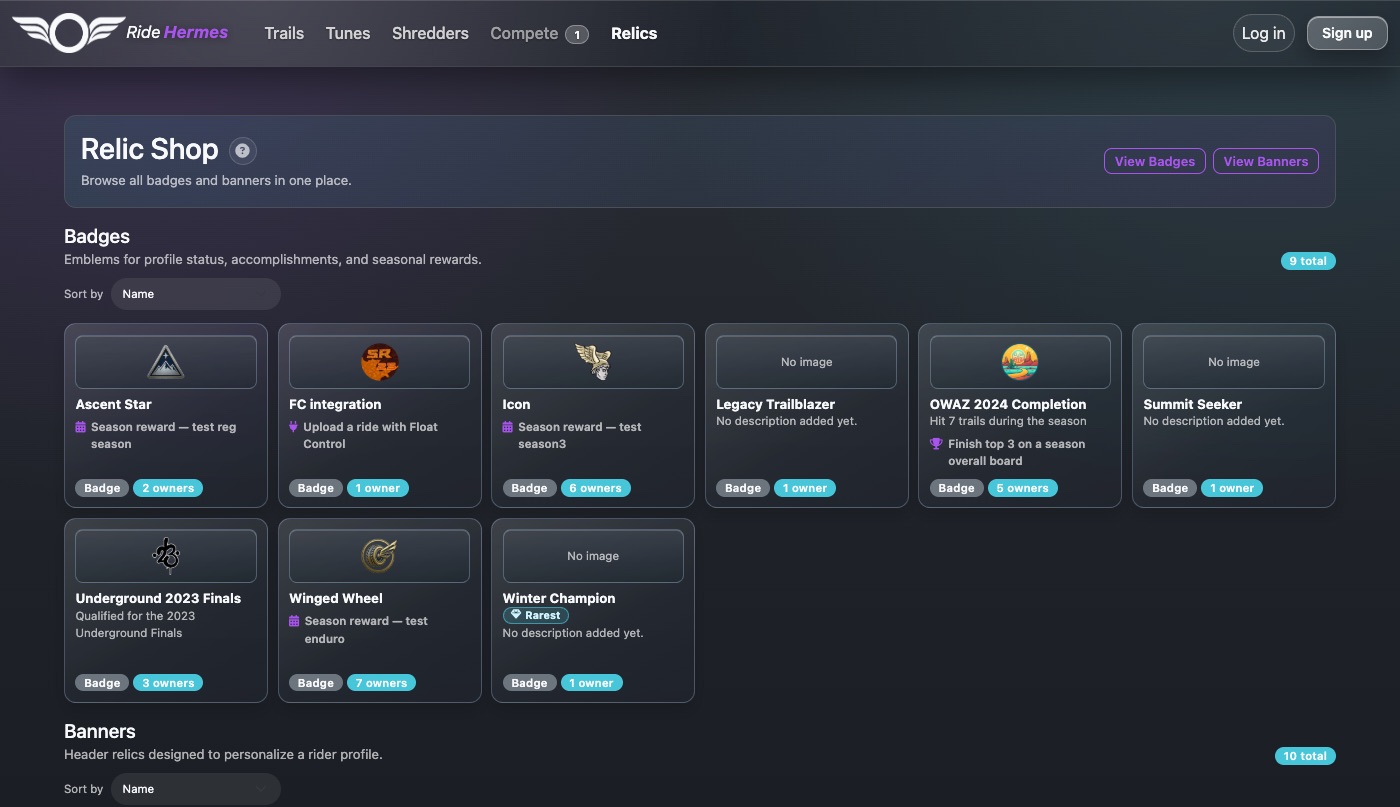
To see the relics a rider owns, open their profile. On the website, use the Banners and Badges tabs. In the app, open the Relics page and switch between Banners and Badges.
How relics are earned
Seasons
A season can award a badge, a banner, or both. Each season sets its own rules. For example, the banner might go to the top three overall, and the badge to everyone who rides enough of the season's trails. Rewards are handed out after the season ends and its results are final, and you get a notification when you earn one. See Seasons, Leagues & The Underground.
Achievements
Some relics are tied to an achievement, for example:
- Take #1 on any trail leaderboard
- Finish top 3 on a season overall board
- Log 100 trail attempts
If you've already done what's needed, you get the relic automatically, even if you did it before the relic was released.
Partner apps
Some badges come from uploading a ride through a partner app. The Relic Shop tells you which app.
The Relic Store
You can also buy relics with credits. See The Relic Store below.
Every relic's entry in the Relic Shop says how it's earned.
Equipping a badge and banner
You can show one badge and one banner at a time.
- On the website: open your own profile, go to the Banners or Badges tab, and select Select on the one you want. It's marked Selected.
- In the app: open your profile from the home screen, go to Relics, and tap Select.
The Relic Store
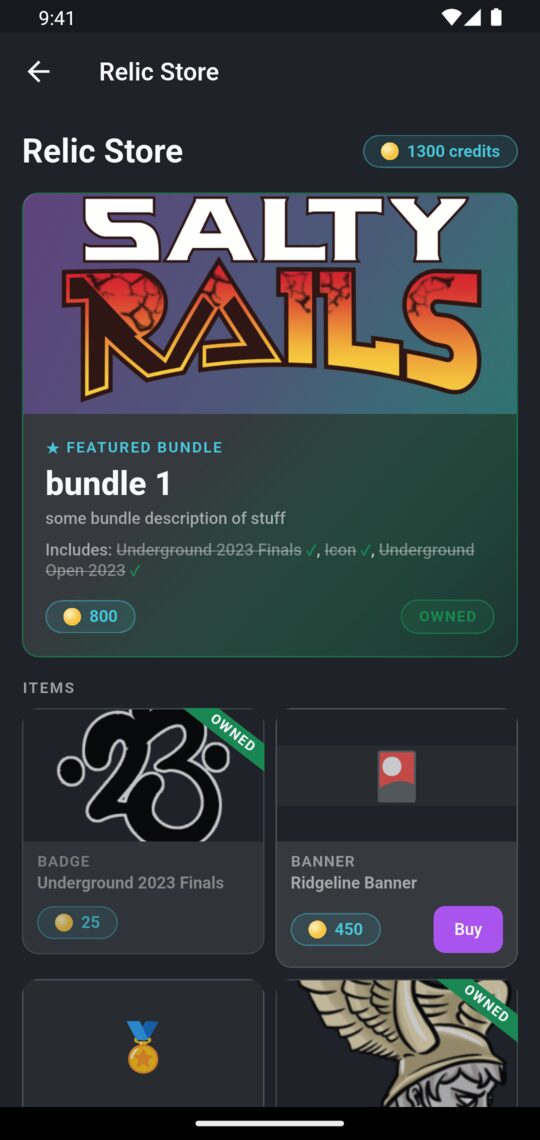
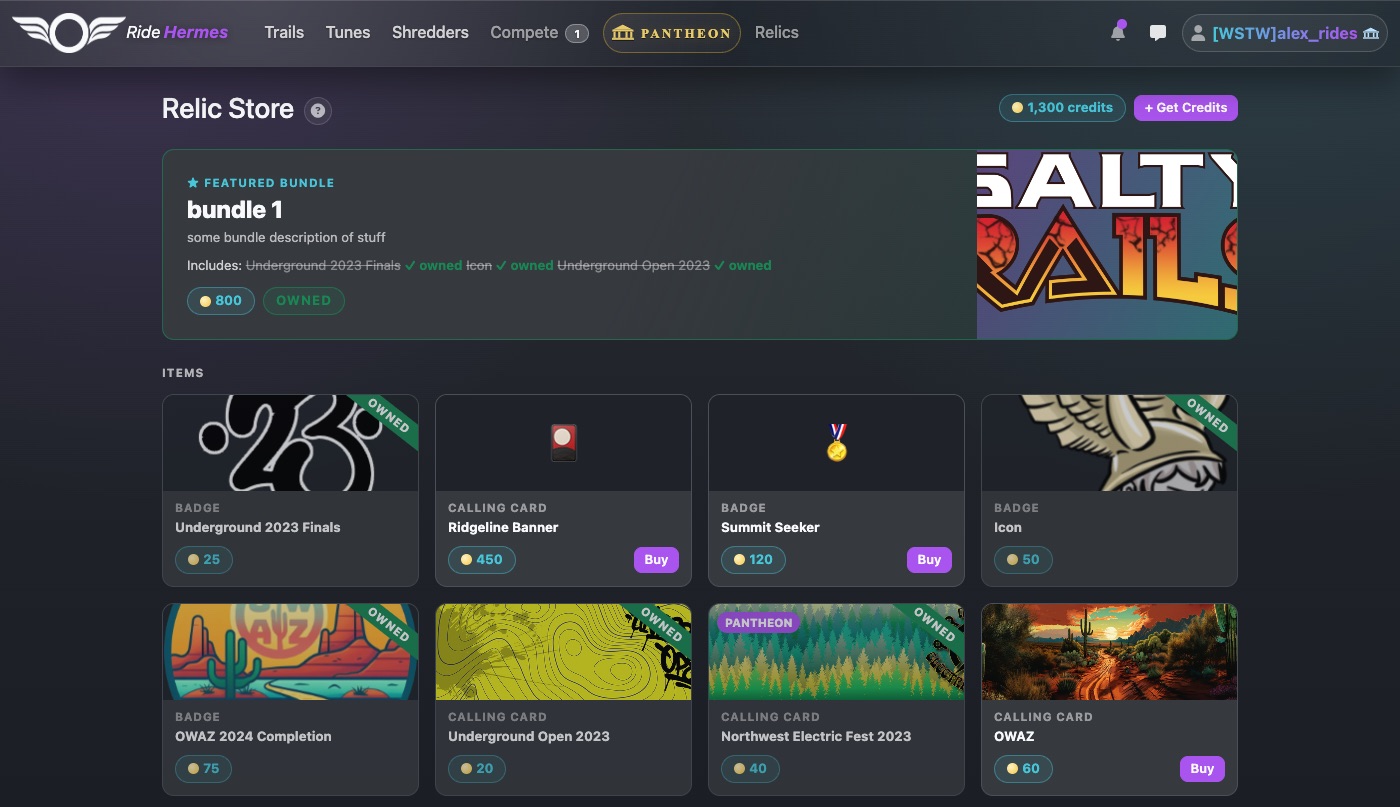
The Relic Store is where you spend credits. In the app, open the menu and tap Store. On the website, go to the Relic Store (you need to be signed in).
It has:
- Featured Bundle and More Bundles: sets of relics sold together.
- Items: single badges and banners.
- Get Credits: credit packs to top up your balance.
Your balance is shown at the top. Items you already have are marked Owned.
Buying an item or bundle
- Tap Buy (or Buy Bundle).
- Check the Price and Balance after, then confirm.
- The relic goes straight into your collection, ready to equip.
Items and bundles can only be bought with credits, not directly with money.
Members-only items
For Pantheon membersItems and bundles marked Pantheon can only be bought by Pantheon members. If you're not a member, you'll see Unlock instead of Buy, which takes you to the Pantheon. See The Pantheon Membership.
Getting credits
Buying a credit pack
- In the app: in the Store, tap a pack under Get Credits. You pay through the App Store or Google Play. Credits are added once the purchase goes through, and you'll see Credits added!
- On the website: in the Relic Store, choose a pack under Get Credits, tick the box agreeing to the policies, and pay by card through Stripe.
The price for each pack is shown on its card.
Earning credits by riding
You also get credits, once each, for these firsts:
| Milestone | Credits |
|---|---|
| Your first trail attempt | 25 |
| Your first personal best | 25 |
| Your first #1 on a trail leaderboard | 50 |
Membership bonus
For Pantheon membersPantheon membership includes bonus credits, paid into your balance automatically. You'll get a notification when they arrive.
Credit rules and refunds
- Credits only work in Ride Hermes. They have no cash value and can't be transferred.
- Credits don't expire just because time passes.
- Spending credits is final. What you buy is a license to use it in Ride Hermes, and it can't be transferred.
- Credits can be taken back for fraud, chargebacks or policy violations. If a credit pack is refunded, its credits are removed.
- App Store and Google Play purchases are refunded through that store, not by us.
The full details are in the Credits Policy, Refund Policy and Terms of Service.